


Common Issues
Here is an overview of common issues when using the DOCTAG server.
Issue 1: When using mail import, the server creates sign requests instead of importing documents. Why?
Issue: When using mail import, the server creates sign requests instead of importing documents.
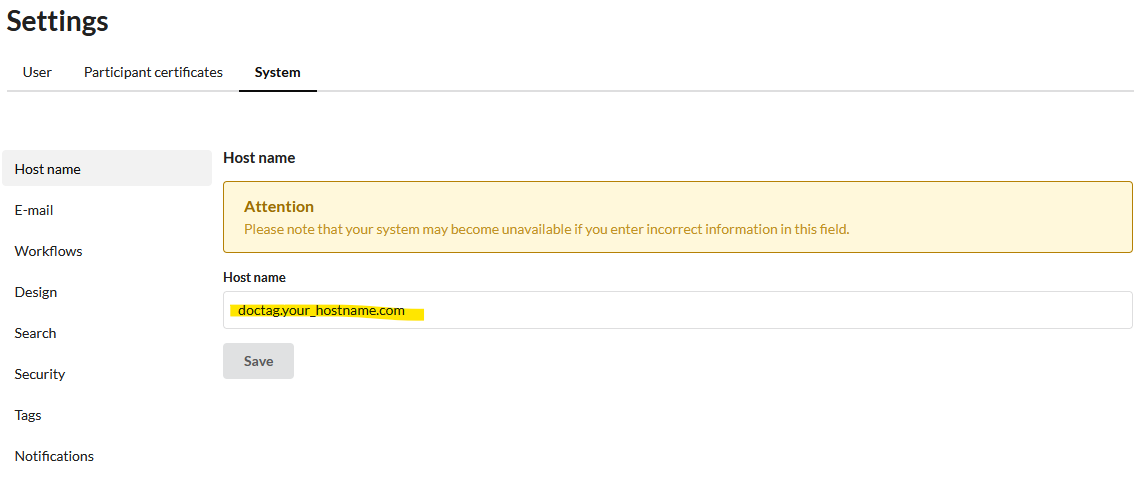
Solution: Most likely, your server URL and the URL used in the QR code do not match. Go to Settings > System > Hostname and verify the configured hostname.
Also check the hostname used in the QR code. Neither protocol nor the default HTTPS port (:443) should be specified explicitly. In the server settings, use only the plain domain as shown in the following example.
Issue 2: Mail import does not fetch any emails (Log: "Mail import skipped because shouldReceiveDocumentsViaMail is disabled"). Why?
Issue: The server does not connect to the mailbox or skips mail import immediately. The log shows: "Mail import skipped because shouldReceiveDocumentsViaMail is disabled".
Solution: In the inbound email configuration, the document receiving toggle is not yet enabled. In the DOCTAG server, go to Settings > System > E-Mail, switch to the "Security" tab, check "Receive documents via mail active", and save the settings.